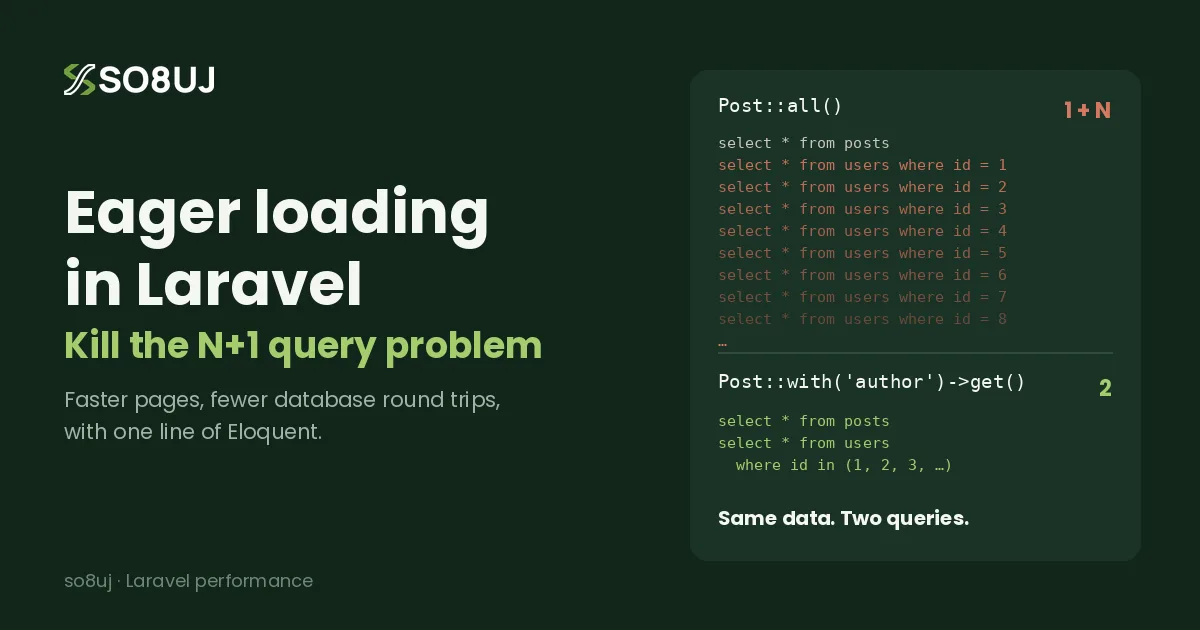
In my last post, we fixed the N+1 query problem with eager loading and cut hundreds of queries down to a few. But there's a second half to Laravel database performance that catches many developers off guard: you can run very few queries and still have a slow app.
That happens when each query has to scan thousands, or millions, of rows to find what it needs. The fix is database indexing, and in Laravel it often takes a single line in a migration.
In this guide you'll learn what indexes are, how to add them in Laravel migrations, how to find missing indexes with EXPLAIN, and the mistakes that quietly stop your indexes from working.
Eager loading vs indexing: two different problems
It helps to separate the two clearly:
- Eager loading reduces how many queries you run.
- Indexing reduces how much work each query does.
A page that runs only two queries can still take seconds if both of them scan an entire table. You usually need both to get a fast application.
What is a database index?
Think of the index at the back of a book. If you want every page that mentions "Eloquent", you don't read all 500 pages. You open the index, find the word, and jump straight to the right pages.
A database index works the same way. Without one, the database performs a full table scan: it reads every row and checks whether it matches your where clause. With an index on the right column, the database looks up the matching rows directly.
On a table with 500 rows, you'll never notice the difference. On an orders table with a few million rows, it's the difference between a dashboard that loads instantly and one that times out.
How to add indexes in Laravel migrations
Laravel's schema builder makes indexes easy to add.
Single-column index
Schema::create('orders', function (Blueprint $table) {
    $table->id();
    $table->string('status')->index();
    $table->timestamps();
});
Unique index
A unique index speeds up lookups and also stops duplicate values at the database level:
$table->string('email')->unique();
$table->string('invoice_number')->unique();
Composite (multi-column) index
When you regularly filter by several columns together, one composite index often beats several single-column indexes:
$table->index(['branch_id', 'status', 'created_at']);
Foreign keys
$table->foreignId('user_id')->constrained();
On MySQL, a foreign key constraint creates an index on the column automatically. On PostgreSQL, it does not, so add one yourself:
$table->foreignId('user_id')->constrained()->index();
Adding an index to an existing table
Create a new migration instead of editing an old one that has already run in production:
php artisan make:migration add_status_index_to_orders_table
public function up(): void
{
    Schema::table('orders', function (Blueprint $table) {
        $table->index('status');
    });
}

public function down(): void
{
    Schema::table('orders', function (Blueprint $table) {
        $table->dropIndex(['status']);
    });
}
Passing an array to dropIndex() lets Laravel work out the conventional index name (orders_status_index) for you.
Which columns should you index?
Index the columns your queries actually search, join and sort on. In most Laravel apps that means:
- Foreign keys used in relationships, such as
user_id,post_idandbranch_id. Eager loading runswhere id in (...)queries on these, so indexes make your eager loads faster too. - Columns in
whereclauses that run often, likestatus,typeoris_activecombined with other filters - Columns in
orderBy, especiallycreated_aton large tables withlatest()and pagination - Lookup columns such as
slug,email,skuandinvoice_number
You usually don't need indexes on columns you only display and never filter by.
How to find missing indexes with EXPLAIN
EXPLAIN asks the database how it plans to run a query. Laravel's query builder has an explain() method built in:
Order::where('status', 'paid')->explain()->dd();
On MySQL, look at these columns in the output:
| Column | What to look for |
|---|---|
type |
ALL means a full table scan. ref, range or const mean an index is used. |
key |
The index being used. NULL means no index. |
rows |
Roughly how many rows the database expects to examine. Lower is better. |
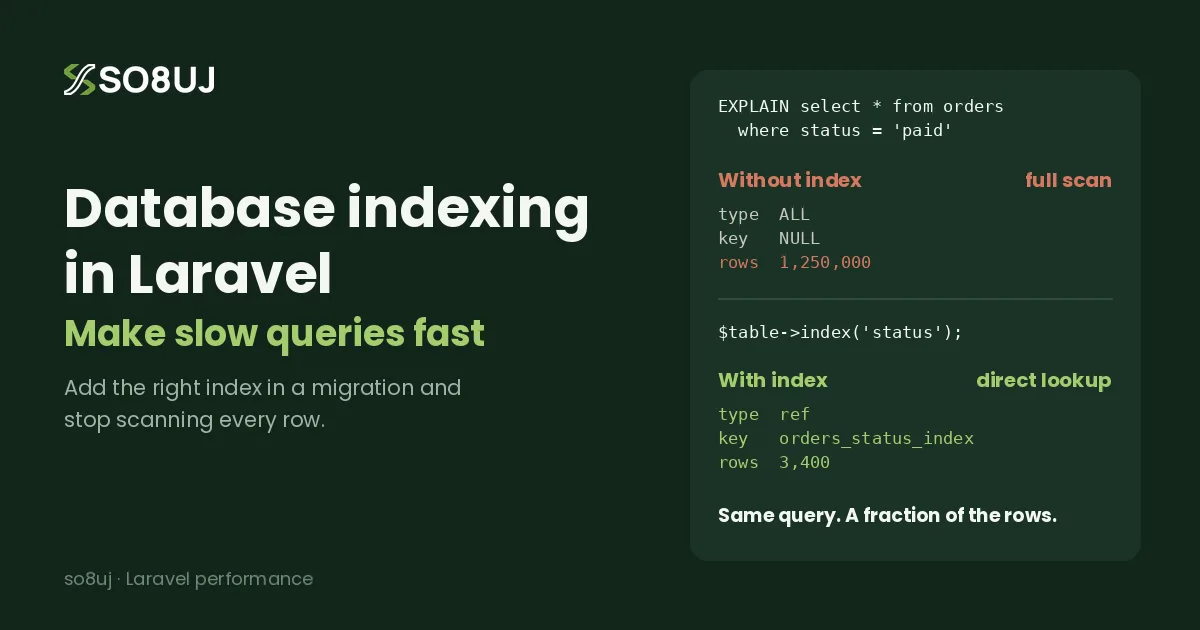
Here's an illustrative example on an orders table before adding an index:
type: ALL key: NULL rows: 1,250,000
And after $table->index('status'):
type: ref key: orders_status_index rows: 3,400
Same query, same result, but the database examines a tiny fraction of the rows.
Find slow queries automatically
To find queries worth checking, log the slow ones. Laravel can alert you when a request spends too long in the database:
// AppServiceProvider::boot()
use Illuminate\Support\Facades\DB;

DB::whenQueryingForLongerThan(500, function ($connection, $event) {
    logger()->warning('Slow database time on this request', [
        'url' => request()->fullUrl(),
    ]);
});
You can also use DB::listen() to log any single query over a threshold, and Laravel Telescope or Debugbar to see query times during development. On MySQL, the slow query log is worth enabling in production.
A real-world example: a POS orders report
On POS and ERP systems, the busiest screens are usually reports. A typical query looks like this:
Order::where('branch_id', $branchId)
    ->where('status', 'completed')
    ->whereBetween('created_at', [$from, $to])
    ->latest()
    ->paginate(20);
Without an index, every report request scans the whole orders table. Adding one composite index that matches the query fixes it:
$table->index(['branch_id', 'status', 'created_at']);
The column order is deliberate:
- Equality filters first:
branch_idandstatususe= - Range or sort column last:
created_atis used forwhereBetweenandlatest()
This lets the database jump straight to one branch's completed orders and read them already sorted by date.
The leftmost prefix rule for composite indexes
A composite index can only be used from left to right. The index ['branch_id', 'status', 'created_at'] helps queries that filter by:
branch_idbranch_idandstatusbranch_id,statusandcreated_at
It does not help a query that filters only by status or only by created_at, because those skip the first column. Design composite indexes around your real queries, starting with the column you always filter by.
Common mistakes that stop indexes from working
Wrapping the column in a function
// The index on created_at can't be used here
Order::whereDate('created_at', '2026-11-01')->get();
whereDate() generates SQL like DATE(created_at) = ?. Because the column is wrapped in a function, the database can't use the index. Use a range instead:
Order::whereBetween('created_at', [
    '2026-11-01 00:00:00',
    '2026-11-01 23:59:59',
])->get();
The same applies to whereMonth() and whereYear() on large tables.
Searching with a leading wildcard
Product::where('name', 'like', '%phone%')->get();   // can't use a normal index
Product::where('name', 'like', 'phone%')->get();    // can use an index
For real text search, use a full-text index:
$table->fullText(['name', 'description']);

Product::whereFullText(['name', 'description'], 'phone')->get();
For larger search needs, consider Laravel Scout with Meilisearch or Typesense.
Indexing low-selectivity columns on their own
A boolean column like is_active has only two values. An index on it alone often doesn't help much, because the database still has to read a large share of the table. It works much better as part of a composite index, such as ['branch_id', 'is_active'].
When indexes hurt performance
Indexes aren't free. Every time you insert, update or delete a row, the database also has to update each index on that table. Too many indexes means:
- Slower writes, which matters on high-volume tables like logs and transactions
- More disk space
- Duplicate indexes that do the same job twice
As a rule, add indexes for queries you actually run, check them with EXPLAIN, and remove ones nothing uses. On very large production tables, test new indexes in a staging environment first and run the migration during low-traffic hours.
Database indexing checklist for Laravel
- Index foreign keys (and add them yourself on PostgreSQL)
- Index columns used in frequent
where,orderByand lookup queries - Use composite indexes for queries that filter by several columns together
- Put equality columns first and range or sort columns last
- Replace
whereDate()withwhereBetween()on large tables - Use
fullText()instead ofLIKE '%term%'for search - Check important queries with
explain() - Log slow queries with
DB::whenQueryingForLongerThan()or the slow query log - Avoid adding indexes you don't need, especially on write-heavy tables
Frequently asked questions
How do I add an index in a Laravel migration?
Chain ->index() onto a column, such as $table->string('status')->index(), or call $table->index('status') inside Schema::create() or Schema::table(). For multiple columns, pass an array: $table->index(['branch_id', 'status']).
Does Laravel automatically index foreign keys?
Laravel doesn't add the index itself. On MySQL, the database creates one automatically when you add a foreign key constraint with constrained(). On PostgreSQL, you need to add the index yourself.
How do I know if my query uses an index?
Run ->explain() on your Eloquent or query builder query. On MySQL, if key is NULL and type is ALL, the query is doing a full table scan and probably needs an index.
Can too many indexes slow down my database?
Yes. Each index has to be updated on every insert, update and delete, so unnecessary indexes slow down writes and use extra storage. Only index columns your queries actually use.
Should I use eager loading or indexing?
Both. Eager loading reduces the number of queries, and indexing makes each query faster. Together they solve most database performance problems in Laravel applications.
Final thoughts
Eager loading and indexing are two halves of the same goal: getting your data with as little work as possible. Eager loading cuts the number of trips to the database, and indexes make every trip short.
If a page in your Laravel app is slow, run explain() on its main queries. A missing index is one of the cheapest performance fixes you'll ever make. Need help speeding up a Laravel, Livewire or TALL stack project? Get in touch, and let's make it fast.